Don't miss our New reseller offer - up to 20% OFF!

IPTV Reseller Panel Reporting & Analytics Guide 2026

IPTV Reseller Panel Reporting & Analytics comes down to a handful of figures you should be able to read straight off your dashboard: credits remaining, accounts by status, expiries coming up, renewals completed, and what the activity log says changed. Anything beyond that, such as renewal rate, churn and margin per account, you will usually calculate yourself from those figures.
That distinction is the practical part. Most reseller dashboards report what is happening to accounts today, which is operational reporting. Analytics means turning those snapshots into a trend you can act on, and few panels do that for you. So the useful question about any panel is not whether it has charts, but whether its status and expiry data is clean and filterable enough to calculate from with confidence.
Reporting shows the state, analytics shows the direction
A status list tells you that forty accounts are active and six are expiring. It does not tell you whether six is normal, whether last cycle was worse, or whether your credit balance will cover the renewals you expect. Those answers come from comparing readings taken at different times.
This is why resellers who run purely from a live dashboard tend to feel busy but cannot explain why a month went well or badly. The panel gave them the state every day and they never kept the readings. A very small habit fixes most of this: record the same few numbers on the same day each week, in whatever tool you already use.
If you also run sub-resellers, the same logic applies one level down. Their activity moves your credit balance, so their usage belongs in your readings too. More on that later.
Five readings worth taking every week
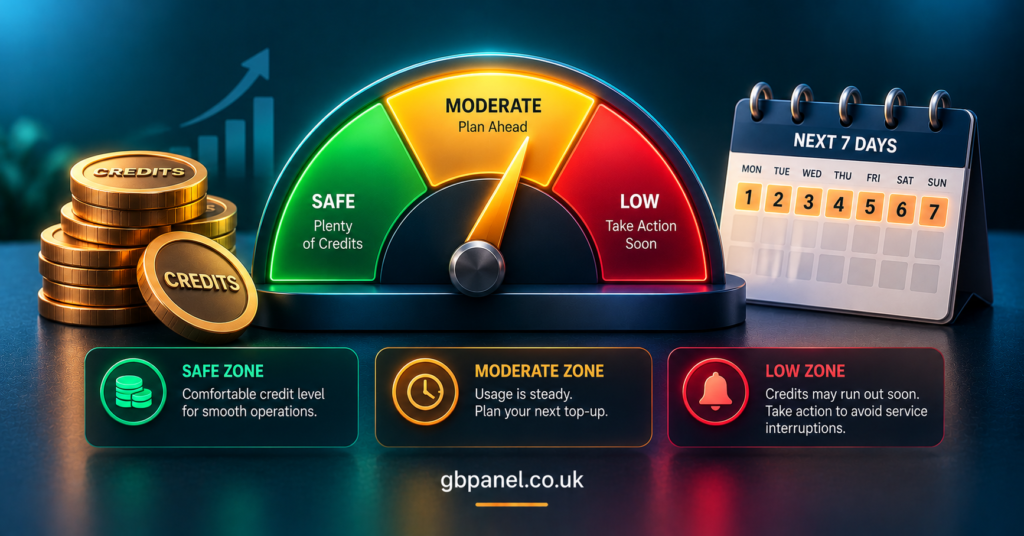
Credit balance and credit runway
The balance is a snapshot. Runway is the useful version: credits remaining divided by the average number of credits you consume per week. If you consume none for a fortnight, the runway figure is meaningless, so use a rolling average across several weeks rather than one busy week. Credit cost per account varies by package and term, so always count credits consumed, not accounts created.
Status mix
Active, expiring and expired are the three states most dashboards show. The ratio between them matters more than the raw counts. A growing expired group alongside a flat active group usually means renewals are being missed, not that sales have stopped.
The expiry window
Filter by expiry date and look at the next seven and fourteen days. This is your short-term workload and your short-term credit demand in one view. Multiply the accounts you genuinely intend to renew by their credit cost and compare the result with your balance before the week begins, not on the day.
Renewal outcomes
For every account that came due in a period, count how many were renewed, how many lapsed deliberately and how many lapsed without a conversation. The third group is the one worth reducing, because it represents customers you could have contacted.
Change history
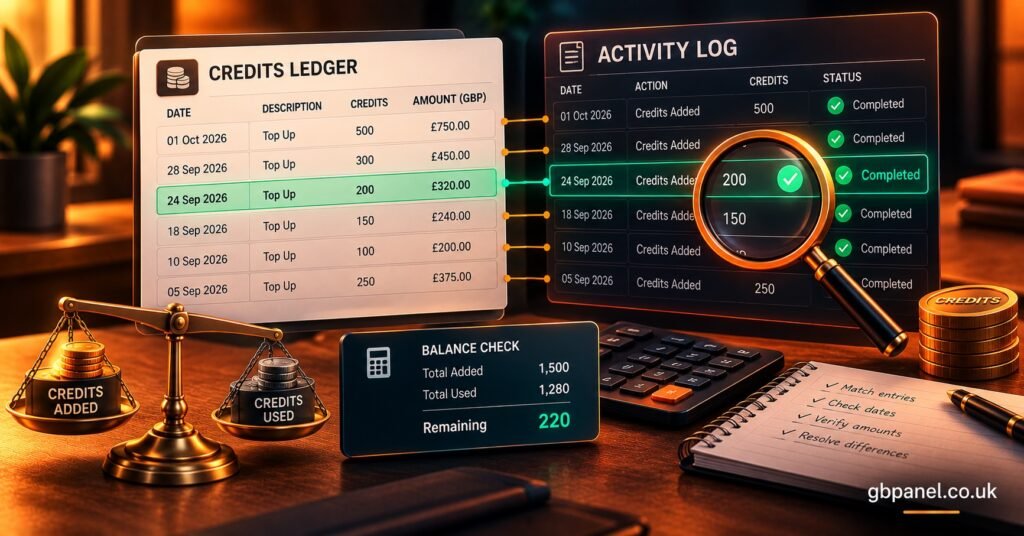
The activity log answers disputes. When a customer says their account was never renewed, or you cannot remember suspending something, the log is the record. It also lets you reconcile credits spent against actions taken, which is the basis of the audit method below.
IPTV Reseller Panel Reporting & Analytics: what a dashboard should give you
Before you rely on any panel for reporting, check what it actually provides against what you will have to build yourself. The table below separates the two, so you can see where a spreadsheet or notes file has to fill the gap.
| What you want to know | What the panel should provide | What you calculate yourself |
|---|---|---|
| How many credits are left | Live balance on screen | Runway in weeks |
| Which accounts need attention | Status and expiry filters | Renewal rate per cycle |
| Whether renewals are being missed | Expired list with dates | Share of lapses with no customer contact |
| What changed on an account | Activity log with actions and dates | Credits spent versus actions logged |
| Whether the business is profitable | Not usually provided | Margin per credit and per active account |
GB Panel’s own dashboard description lists a credit balance visible from any screen, account filtering by status, expiry or name, renewal flagging, a notes field per account and an activity log. Those cover the first four rows reasonably. Charts, exports and trend views are not described there, so if you need them, ask the team directly rather than assuming. The same question is worth asking of any provider.
Profitability is the row most resellers leave empty. It needs your retail price, your cost per credit and your active account count, none of which a panel can know about your market. The method in the IPTV reseller profit calculator guide walks through that arithmetic, and the cost per credit explanation covers why your credit cost shifts with purchase size.
Pro tip: Decide your definition of “active” before you start recording. If a status label includes accounts that expired this morning, your active count will always look slightly better than reality.
From status counts to a renewal rate
Renewal rate is the figure that turns a list into a business measure. Take the accounts that came due in a period. Divide those you renewed by the total that came due. A account that was created and expired within the same period still counts as due.
Two cautions apply. First, keep the period consistent. A weekly rate and a monthly rate are not comparable, and switching between them hides real movement. Second, do not mix new sales into the figure. A month with lots of new accounts can make total active numbers look healthy while the renewal rate quietly falls.
Churn is simply the opposite reading: the share of due accounts that did not renew. Splitting churn into deliberate and unexplained lapses is more useful than the headline figure, because only the unexplained group is something you can change.
A one-cycle reporting audit you can run yourself
Panels rarely tell you whether their numbers reconcile, so test it. This takes one billing cycle and needs nothing but a notes file. It is a method for you to run on your own account, not a set of results I am claiming from testing.
- On day one, note your credit balance, the count of accounts in each status and the number due in the next fourteen days.
- Each time you create or renew an account, jot down the date, the account name and the credits you expect it to cost.
- At the end of the cycle, note the balance again.
- Work out the expected credits spent from your own notes and subtract it from the opening balance (plus any top-ups).
- Compare that figure with the real closing balance.
- Open the activity log and match each entry to your notes. Anything in one list and not the other needs an explanation.
If the figures agree, you can trust the panel’s balance for planning. If they do not, the difference tells you where to look: a missed log entry, a sub-reseller action you did not record, or a cost per credit you assumed wrongly. Either way you learn how far to trust your reporting before you build decisions on it.
Where panel data stops being trustworthy
Dashboards are accurate about actions the panel performed. They are less reliable about things that happen outside it. Customer payments made through your own channels, promises of free extensions, and conversations about renewals all live elsewhere, so a status of “expired” may hide a customer who has already agreed to renew.
Notes fields help, but only if you use them consistently. A note that says “paying Friday” turns a misleading expired status into a usable record. Without it, your expired group mixes lost customers with pending ones, and your renewal rate looks worse than it is.
Timing also matters. Status labels change at set points, so an account can sit in one state for hours after you have acted on it. Take your weekly readings at the same time of day so that lag affects every reading equally.
Sub-reseller reporting needs its own line
If you extend access to sub-resellers, you carry the credit risk for their activity, so a report that only shows your own accounts is incomplete. Ask what visibility the parent account has: who created an account, who renewed it, and which credits were spent under which login. Where that is limited, require sub-resellers to send you a short weekly summary instead.
The packages guide for UK IPTV panel resellers explains how sub-reseller controls differ by tier, which affects how much of this you can see directly.
One further note on compliance. IPTV is a delivery technology, and whether a service is lawful depends on the rights and permissions behind the content, not on the panel. Reporting helps here only in a limited way: an activity log gives you records, but it cannot make an unlicensed service licensed.
Questions resellers ask about panel reporting
Does an IPTV reseller panel include analytics?
Usually it includes operational reporting such as balances, statuses and logs. True analytics, meaning trends and rates over time, normally has to be calculated from those readings unless the provider states that charts or exports exist.
How often should I review my reseller panel numbers?
Weekly works for most small and mid-sized operations, with a closer look at the expiry window ahead of any busy renewal period. What matters more than frequency is taking readings consistently.
What is a sensible credit runway?
There is no universal figure, because it depends on your top-up lead time and how steady your renewals are. As a principle, your runway should comfortably exceed the time it takes you to buy and receive more credits.
Can I trust the activity log for disputes?
It is a good record of actions taken through the panel. It will not show agreements made outside it, so pair it with notes on each account.
Reading the numbers rather than collecting them
IPTV Reseller Panel Reporting & Analytics is only useful if the readings change a decision: topping up before credits run short, contacting customers before they lapse, or adjusting prices when margin per credit slips. The panel supplies the state of play, and you supply the comparison over time. Run the reconciliation audit for one cycle, note where the data and your own records disagree, and ask your provider directly about anything you need that the dashboard does not show. If you are still choosing a platform, the white label setup guide is a sensible next read alongside the pricing material.
Reseller Reporting Checklist
- Confirm what your panel shows for balance, status, expiry and activity history
- Ask whether any export or trend view exists, and get the answer in writing
- Record the same five readings on the same day each week
- Define what counts as “active” and keep to it
- Use the notes field for every pending or promised renewal
- Calculate renewal rate per period, separate from new sales
- Reconcile credits against the activity log for one full cycle
- Note sub-reseller activity separately if you have any
[…] most common failure is too many tags. A IPTV panel reseller who invents a new label for every situation ends up with hundreds of near-duplicates, and nobody […]