Don't miss our New reseller offer - up to 20% OFF!

IPTV Reseller Panel Account Tagging Guide 2026

IPTV Reseller Panel Account Tagging means attaching short, consistent labels to customer lines so you can filter, renew and support them in groups instead of one at a time. It only works if your panel has a tag field, or at least a searchable notes field, and if you decide the label names before you start rather than while you are typing them.
The practical question is not whether tagging is a good idea. It is whether your particular dashboard stores tags in a way you can search, export and keep when a line is renewed. Many people tag forty accounts, then discover the filter ignores their labels. Check that first, and only then build a scheme.
Start by finding out what your panel actually calls a tag
Panels differ more than their marketing pages suggest. Some have a proper tag or label field with a filter beside the account list. Others only give you a free-text notes box. A few offer groups or folders, which behave like a single tag per account. Before you design anything, open one customer line and look at every editable field. Then open the account list and see which of those fields can be used to filter, sort or export.
That distinction decides your whole approach. A native tag field usually accepts several labels per account, so one customer can be both a monthly payer and a referral. A notes box accepts anything, but it searches as plain text, which means a careless spelling breaks the filter silently. A group or folder is tidy but limited to one label, so you have to pick the single dimension that matters most.
It is also worth being clear about what tags are not. They do not change what a subscriber can access, they do not replace sub-reseller permissions, and they are not a security control. They are an organising layer for you and your team. If you need to restrict who can see or edit accounts, that belongs in your role settings, which the panel roles and permissions guide covers properly.
Pro tip: If your panel only has a notes field, start every label with a fixed prefix such as pay- or src-. A prefix makes text search behave much more like a real tag filter.
A tag set small enough to remember
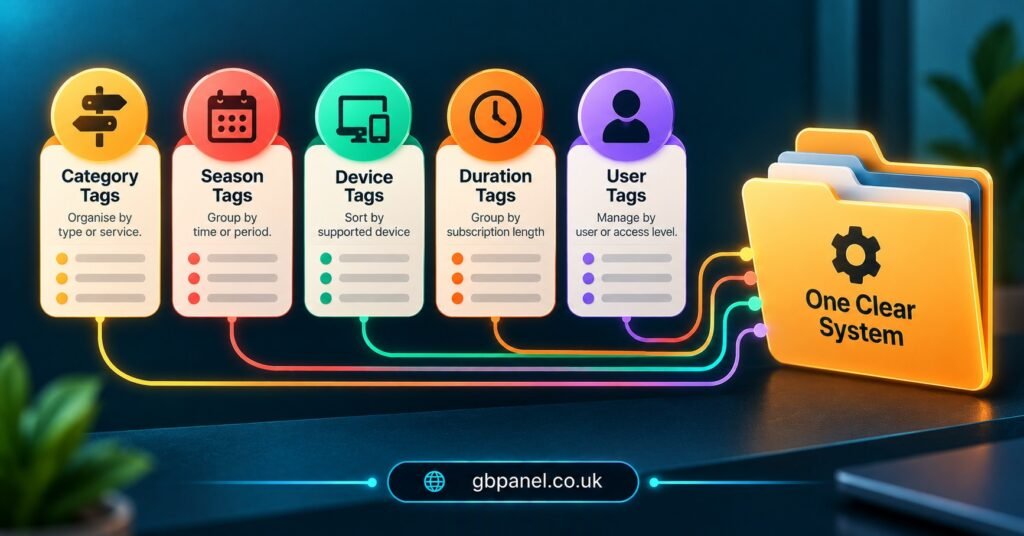
The most common failure is too many tags. A IPTV panel reseller who invents a new label for every situation ends up with hundreds of near-duplicates, and nobody trusts the filter. A better rule is to choose a handful of groups, each answering one question you ask repeatedly, and to allow only a short list of values inside each group.
Think about the questions you actually need answered on a busy day. Who is about to renew and usually pays late? Which customers came through a particular channel? Who is using an older device that needs a different setup message? Who has an open problem you are waiting on? Each of those becomes one tag group.
| Tag group | Example values | Question it answers |
|---|---|---|
| Source | src-referral, src-direct, src-subreseller | Where did this customer come from? |
| Payment habit | pay-monthly, pay-annual, pay-chase | How should I time the renewal reminder? |
| Setup note | dev-older, dev-multi, dev-assisted | What do I need to remember at support time? |
| Open item | wait-reply, wait-payment | Am I waiting on something? |
| Owner | own-me, own-team, own-sub | Who handles this account? |
Notice that the open item group is the only one that should regularly empty. If those tags never get removed, they stop meaning anything. Everything else describes a stable fact about the customer, and stable facts are what tags do best.
Where tagging goes wrong in the first month
Inconsistent spelling is the quiet killer. “Monthly”, “monthly payer”, “Monthly-pay” and “mthly” are four different tags to a filter, and they will appear within weeks if more than one person is typing. Settle on a written list of approved tags and keep it somewhere the whole team can see, even a short shared note.
The second problem is tagging by opinion. Labels such as “difficult”, “time waster” or “complainer” feel useful in the moment, but they are subjective, they age badly, and they can look poor if a customer ever asks what you hold about them. Tag the situation, such as wait-payment, instead of the person.
The third is tagging without a clean-up date. Open item tags need an owner and a habit. A good rhythm is to clear them whenever you finish the matter, and to review the list once a month for anything stale. Tags that describe a stable fact need less attention, but even those deserve a glance when you change pricing or packages, because a label like pay-annual may no longer describe how you sell.
Finally, many IPTV panel resellers assume tags survive everything. They may not. A tag can disappear when a line is deleted and recreated, when accounts move between sub-resellers, or when you migrate to another system. Treat tags as useful but not as your only record, and keep an export of anything you would be upset to lose.
A ten minute test to run on your own dashboard
You cannot judge a tagging feature from its description, so test it. This is a method you run yourself on your own panel, and it works whether tags are native or just notes. Use a small group of existing accounts, or a test line if your provider allows one without spending credits, and avoid anything that would affect a paying customer.
Start with characters. Apply a tag containing a hyphen, one containing a number and one containing a capital letter, then see whether each saves exactly as typed. Some systems quietly strip or change characters, which is far better discovered now than after a hundred lines.
Next, filter. Search for each tag from the account list and confirm the right accounts appear and the wrong ones do not. Then try combining two tags, if your panel allows it, because combined filters are where most of the real value sits.
Then check persistence. Renew one tagged account and confirm the tag is still there afterwards. Edit another account’s other details and make sure the tag is unchanged. If you use sub-resellers, check what a sub-reseller can see and whether they can edit or remove tags they did not create.
Finally, check export. Download your account list if the panel allows it and see whether tags appear as a column, as part of a notes field, or not at all. Write your findings down in a simple test log:
- Panel area used (tag field, notes, or group)
- Characters accepted and any that were altered
- Whether single and combined filters worked
- Whether tags survived a renewal and an edit
- What a sub-reseller or team member could see and change
- Whether tags appeared in the exported list
- Date tested, and who ran the test
Repeat the test after any major panel update. Keep the log, because it becomes your honest answer to the question of what your dashboard can really do.
How IPTV Reseller Panel Account Tagging Changes When Sub-Resellers Join
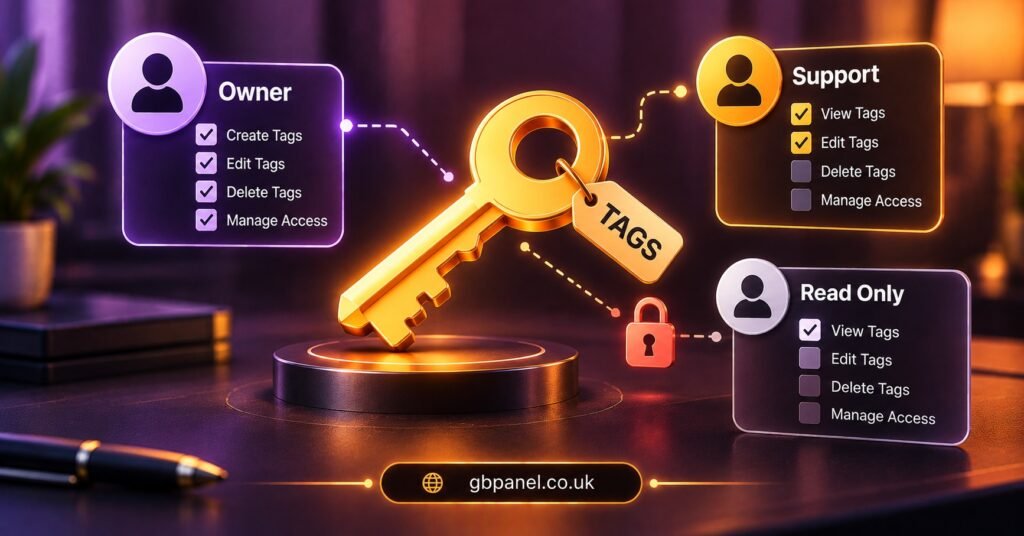
Tagging for one person is a convenience. Tagging for a team is a shared language, and shared languages need rules. The moment a sub-reseller or support colleague starts working in the same panel, you need to decide who may create tags, who may edit them and who may remove them.
Ownership is the first decision. A source or owner tag is what keeps a sub-reseller’s customers distinguishable from your own direct ones, and it is useful when responsibility for support needs to be clear. Without it, a growing list quickly turns into an argument about whose customer a line is.
Visibility is the second. Depending on your panel, a sub-reseller may only see their own accounts, or they may see more than you expect. Your tag scheme should never assume privacy that the permissions do not actually provide. If a label would be awkward for a sub-reseller to read, it probably should not be a label at all.
The third is parent dependency. If a sub-reseller leaves, their tags may not travel with the accounts. Agree up front what happens to their customers’ labelling, and make sure the approved tag list belongs to you rather than to whoever created it.
Pro tip: Give new team members a single page with the approved tag list and two worked examples. It prevents more mess than any later clean-up.
What never belongs in a tag
Tags are easy to read, easy to export and easy to forget about, which makes them a poor home for anything sensitive. Keep passwords, line credentials, payment details and personal information out of tags and notes entirely. If you could not comfortably show a customer what you have written against their account, do not write it.
Data protection rules apply to customer records, and they vary by country. In the UK, UK GDPR expects you to hold only the personal data you actually need and to keep it accurate, and similar principles exist in other English speaking countries. Short operational labels such as pay-monthly sit comfortably within that thinking. Opinions, health details or anything unrelated to running the service do not.
It is also worth remembering that IPTV is a delivery technology, and whether any content is lawful depends on rights, permissions and local requirements. Your tags should describe how you manage accounts, not what anyone watches.
Renewals, reports and the day you change panels
Tags earn their keep at renewal time. If your panel can list accounts by expiry and filter by tag, you can send a gentle reminder to the pay-monthly group a few days ahead and treat the pay-chase group differently. That is a genuine time saver, and it is the reason most IPTV panel resellers adopt tagging in the first place.
Reporting is the next step. Counting accounts by source or payment habit tells you which channels are worth your effort, but only if your panel can group or export by tag. If it cannot, a spreadsheet export and a simple filter will do the same job. The reporting and analytics guide shows which figures a dashboard can usually give you directly and which you will need to work out yourself.
Be careful about treating tag changes as an audit trail. Many activity logs record when a line is created, extended or deleted but may not record a change to a label, so check what yours captures. The activity log limits article explains why logs are narrower than people assume.
If you ever change providers, tags are one of the first things to go missing. Export your list beforehand and note how your labels map to the new system’s fields. The panel migration checklist walks through the wider move.
Questions resellers ask before they start tagging
How many tags per account is sensible?
Usually one value from each of three or four groups. If an account regularly carries more than five labels, your scheme is probably too detailed to stay consistent.
Can I tag accounts if my panel only has a notes field?
Yes, but use fixed prefixes and a written list of approved wording, because text search will not forgive spelling variations.
Will tags show up for my subscribers?
They should not, since tags are meant for your own organisation, but confirm this in your own dashboard rather than assuming it.
Should I tag existing customers or only new ones?
Start with the group you contact most often, usually those nearest renewal, and extend gradually. Tagging everything in one sitting tends to produce rushed, inconsistent labels.
What happens to tags when a line is deleted and recreated?
In many systems they are lost, because the new line is treated as a new record. Test this on a spare account and keep an export if the labels matter.
Where this leaves you
IPTV Reseller Panel Account Tagging is worth the effort when your customer list has outgrown memory, and not before. The practical answer is to learn what your panel really stores, keep the tag groups few and the values fixed, and prove the behaviour with your own ten minute test rather than trusting a feature description. Tags help you organise and remind, but they do not secure accounts, replace permissions or guarantee a record. Your next step is simple: open one account, run the test above, and write down what you find before tagging a single customer.
Reseller checklist before you tag your list
- Confirm whether your panel has a tag field, a notes box or only groups
- Write the approved tag list and store it where your team can see it
- Choose three or four tag groups, each answering one repeated question
- Run the ten minute test and keep the dated test log
- Check what sub-resellers can see, create, edit and remove
- Export your list and note whether tags appear in the file
- Keep passwords, payment details and personal opinions out of every label
- Review open item tags monthly and remove anything stale