Don't miss our New reseller offer - up to 20% OFF!

IPTV Reseller Account Suspension vs Cancellation 2026

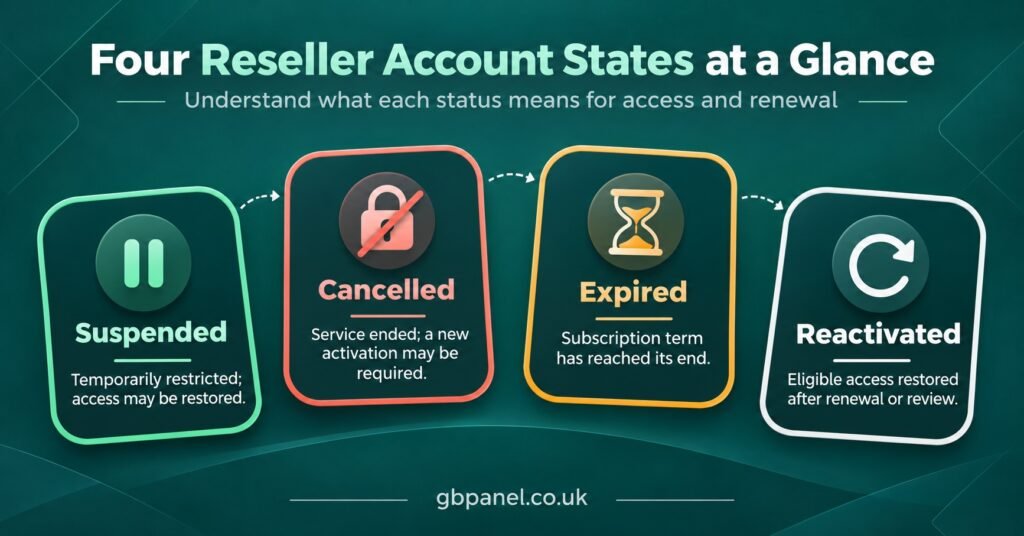
An IPTV Reseller Account Suspension is a pause, not an ending. Your provider has blocked access to the reseller dashboard, and sometimes to the subscriber lines beneath it, while the account itself, its history and usually its credit balance remain on record. Cancellation closes the account permanently, and expiry simply means a time-limited panel or line has run its course. Before assuming the worst, check three things: whether you can still log in, whether a customer line still plays, and whether your provider has sent any notice explaining the hold.
Those three checks matter because each status calls for a completely different response. A suspension is a conversation you need to have quickly and with evidence ready, since many holds exist only until one specific question is answered. A cancellation is closer to a commercial dispute, where what you can recover depends on the terms you accepted when you bought credits. An expiry normally needs nothing more than a renewal. Resellers lose the most time when they mistake one for another, such as rushing customers to a new provider while a suspension that could have been cleared in a day sits unanswered in their inbox.
Four Account States That Look Alike From the Outside
From a customer’s television or phone, all four of these situations can produce the same thing: a failed login or a blank channel list. From your side of the reseller dashboard, they are very different, and the difference decides what you should do next.
| Account state | What usually stops | What usually remains |
|---|---|---|
| Suspension | Dashboard access, and on some panels the lines underneath | The account, credit balance, line records and history |
| Cancellation | The account itself, permanently | Only what the provider’s terms say you can recover |
| Expiry | A specific panel term or subscriber line | Everything else, until the item is renewed |
| Reactivation | Nothing, access is restored | Most data, though not always every setting or lost day |
Treat that table as a general pattern rather than a rule. Panel software differs, and providers configure it differently. One provider might suspend your login while leaving every customer line running, so your subscribers notice nothing. Another might disable the entire branch, including sub-resellers. The only reliable answer for your account comes from your provider, which is why the questions you ask them (covered further down) matter so much.
Working Out Which One Has Happened to You
Start with the login screen, and read the message rather than retyping your password. A notice such as “account disabled” or “account suspended” points to a deliberate hold. “Expired” points to a time limit. “Invalid username or password” is more ambiguous: it can mean a changed password, a mistyped address, or a hold that the panel reports in a generic way. Avoid hammering the form with repeated attempts, because some panels lock accounts after several failures, which adds a second problem on top of the first.
Next, confirm you are on the genuine login address. It sounds basic, but a bookmark that has quietly been replaced, or a link clicked from a message, can land you on a lookalike page that will never accept your details. If you have any doubt, the steps in this guide to IPTV reseller panel login security explain how to check the address and what to do if your credentials may have leaked.
Then test a customer line you know was active, ideally your own test line on a device you control. If it plays, the hold probably sits at dashboard level only, and your customers are unaffected for now. If it fails, the suspension may extend to lines, or the line itself may have expired.
Finally, look for communication. Check your email (including spam), the messaging app your provider uses, and any notice area inside the panel if you can still reach it. Also check your own payment records for the last few weeks. A reversed transfer or a disputed card payment explains a surprising number of sudden holds, and you will want to know about it before you contact anyone.
What Usually Triggers an IPTV Reseller Account Suspension
Providers rarely suspend accounts at random. Most holds trace back to a handful of categories, and knowing which one applies tells you what evidence you will need.
Payment problems are the most common. A chargeback on a credit purchase, a bank transfer that was later recalled, or an outstanding balance can all prompt a provider to freeze an account until the money is settled. From the provider’s point of view, credits bought with a reversed payment were never paid for, so they may also hold or deduct those credits.
Security signals come next. A burst of line creation at unusual hours, logins from unfamiliar locations, or credits draining faster than your normal pattern can lead a provider to lock the account to protect it, sometimes before you have noticed anything wrong. In that case the suspension is working in your favour, and the priority is proving the activity was not yours and securing your email and panel access.
Policy breaches cover selling outside the terms you agreed. Many providers publish restrictions on the countries they serve, on VPN use, or on how credits may be resold. GB Panel, for example, publishes separate sections on banned countries and VPN use on its reseller policies page. Whichever provider you use, those terms are what a suspension will be measured against, so read them before you need them.
Sub-reseller behaviour can land on your account too. If someone beneath you breaches the rules, the provider may see the activity as coming from your branch. That is a strong reason to keep sub-reseller rights narrow from the start, as set out in this guide to reseller panel roles and permissions.
Compliance and rights complaints form the last group. IPTV is a delivery technology, and whether any service is lawful depends on the distribution rights behind its content and the laws where it is sold. A provider that receives a complaint or reviews its own compliance may pause accounts while it investigates. A professional dashboard or a smooth payment page does not establish that content is licensed, so this is worth understanding before you build an IPTV reseller panel business on any single provider.
Occasionally the cause is purely administrative: a verification request you missed, a server migration, or a billing system error. These are usually the quickest to resolve, which is another reason to ask before assuming.
Your Response, in the Order That Helps
The temptation after a hold is to act fast in every direction at once. A calmer sequence usually gets you reactivated sooner.
- Pause anything that changes the record. Don’t open accounts elsewhere and start moving customers, and don’t file a payment dispute. Both can turn a short hold into a permanent cancellation.
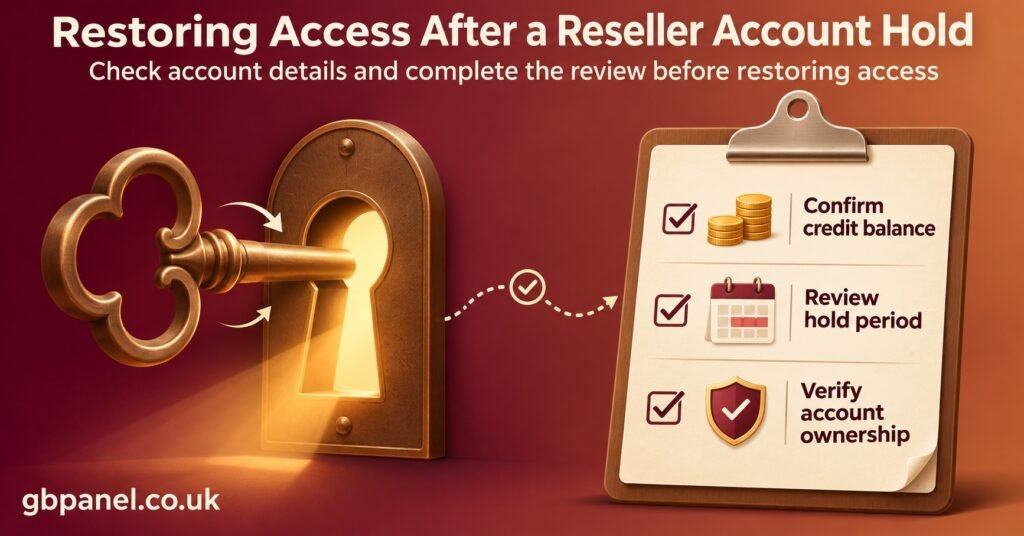
- Gather your evidence while it is fresh. Note your last known credit balance, recent purchases with receipts, the lines you created or extended in the past fortnight, and screenshots of any error messages. If you keep a simple daily note of your balance, this step takes minutes.
- Contact the provider through their official channel only. Send one clear message rather than several fragmented ones. State your account username, when you noticed the problem and what you have already checked.
- Ask specific questions. What triggered the hold? Does it cover the dashboard only, or customer lines and sub-resellers too? Are your IPTV credits frozen, intact or under review? What exactly is needed to lift it, and roughly when will you hear back?
- Tell your customers something accurate. If lines are affected, a short, honest message (“we’re aware of an access issue and are working on it”) is better than silence or guesswork. Avoid promising a time you cannot control.
- Get the outcome in writing. Whether the hold is lifted, extended or turned into a cancellation, a written confirmation protects you if the same question comes up later.
Pro tip: Write your provider’s support contact details and your account username somewhere outside the panel. During a suspension, the dashboard is often the one place you cannot reach.
Reactivation Rarely Puts Everything Back Exactly as It Was
Getting access back feels like the end of the problem, but it is worth checking the account carefully before carrying on as normal.
Subscriber line expiry dates are one thing to look at. On many panels, a line’s end date is fixed when it is created or extended, so if customer lines were disabled during the hold, those lost days are not automatically added back. Some providers will extend affected lines as a goodwill gesture; others will not. Ask directly, because your customers will notice the shortfall before you do.
Your credit balance is another. If the suspension involved a disputed payment, the provider may have deducted the credits linked to it, or kept part of the balance frozen while the dispute is settled. Compare the reactivated balance with your own records and raise any gap immediately rather than weeks later.
Permissions can also change. A provider reactivating an account after a security concern might reset your password, remove trial allowances, or restrict sub-reseller creation for a period. Sub-reseller panel accounts beneath you may need separate reactivation, so log in to one or contact them to confirm.
Lastly, run a test line from creation to playback on a real device. It is the simplest way to confirm that the whole chain, from dashboard to customer screen, is working again.
When a Suspension Becomes a Cancellation
Some holds don’t end in reactivation. The signs are usually clear enough: a written notice of termination, a provider that stops responding entirely, or a reason that the provider tells you cannot be resolved, such as repeated breaches of the same policy.
At that point your leverage comes almost entirely from the terms you agreed when you bought credits. As a business buyer, you generally have fewer statutory protections than an ordinary consumer, so the provider’s written refund and termination terms carry real weight. Ask in writing whether unused credits will be refunded, converted or forfeited, and whether you can export or view your line list before access closes.
This is where your own records earn their keep. If you have kept a separate list of your customers, their line usernames and their renewal dates, you can contact them and honour what you sold through whatever route remains open to you. If everything lived only inside the dashboard, a cancellation can leave you unable to reach the people who paid you. Whatever happens upstream, your obligations to your own customers do not disappear with the account.
Suspending Your Own Sub-Resellers and Customers
The same distinctions apply when you are the one applying the hold. Disabling a sub-reseller or a customer line is reversible; deleting it often is not, and it can wipe records you may need in a dispute. Where your panel offers both, disable first.
Tell the person why, and say what would lift the hold. A sub-reseller who knows they have been paused over an unexplained spike in trial usage can answer the question; one who has simply been locked out tends to assume the worst and start contacting your customers. Keep a short note of the date, the reason and the outcome, so your own suspensions follow a consistent pattern rather than a mood on a busy day.
Questions Resellers Ask While Locked Out
Will my customers’ lines stop working during a suspension?
It depends on how your provider applies the hold. Some suspend dashboard access only, leaving lines running; others disable the whole branch. Test a known active line and ask your provider to confirm the scope in writing.
Can I move my customers to another provider straight away?
You can, but doing it before you know why the account was suspended may cost you a recoverable balance and complicate your position. Understand the reason first, then decide whether moving is necessary.
Do my credits keep counting down while the account is suspended?
Credits held in your balance are not normally consumed by a suspension itself, but they can be frozen, reviewed or deducted if the hold relates to a payment dispute. Line time is different: active lines usually keep moving towards their expiry date.
Should I file a chargeback to get my money back?
Raising a chargeback while you are still in contact with the provider usually escalates matters and can turn a suspension into a cancellation. Use the provider’s written dispute process first, and keep records of every exchange.
How long does a suspension normally last?
There is no standard length. A simple payment or verification query may clear in a short time, while a security or compliance review can take longer. Asking what is needed and when you can expect an update gives you a more useful answer than any general figure.
Treating the Hold as a Question to Answer
An IPTV Reseller Account Suspension tells you that something needs explaining, not that your business is over. Identify which state you are actually in, gather your evidence before you write to anyone, ask your provider precise questions about scope, credits and conditions, and check the account thoroughly once access returns. The limits are real: you can’t control how a provider applies its own policies, and a suspension can still end in cancellation if the underlying issue cannot be fixed. Keeping your own customer records and reading your provider’s terms now is what keeps either outcome manageable. If you are comparing providers, how clearly they explain holds and reactivation is worth weighing alongside price, and the IPTV reseller panels for UK resellers page is one place to see what an account includes before you commit.