Don't miss our New reseller offer - up to 20% OFF!

IPTV Reseller Customer Onboarding Email Templates 2026

A good IPTV Reseller Customer Onboarding Email confirms what the customer bought, tells them how to sign in on their device, explains where to get help and points to a short privacy note. It should do all of that without slipping promotional offers into a message the customer never agreed to receive. If your current welcome email is a pasted block of login details and a discount code, it is doing too little of the useful work and too much of the risky kind.
In practice, onboarding works better as three or four short messages than one long one. The first confirms the order, the second carries sign-in details on their own, and a later check-in catches the customers who are stuck on a device but have not asked for help. Keeping these as service messages, separate from anything that sells, is what keeps them welcome in the inbox and on the right side of UK marketing rules. The templates below follow that split, and each one can be edited to match your own wording, support hours and provider arrangements.
Where the Service Email Ends and Marketing Begins
Every onboarding sequence has to respect one line: a message that helps the customer use what they paid for is a service message, while a message that promotes something is marketing. The distinction matters because the rules treat them very differently.
In the UK, electronic marketing falls under the Privacy and Electronic Communications Regulations (PECR). The ICO’s position is that you must not send marketing emails or texts to individuals without specific consent, with a limited exception for your own previous customers, often called the soft opt-in. That exception is narrower than many IPTV panel resellers assume. It only covers marketing about similar products or services to those already purchased, the customer must have been given a clear opportunity to opt out at the time of purchase, and every later email needs an easy way to unsubscribe. It can also only be relied upon by the organisation that collected the contact details, so a reseller cannot lean on a provider’s customer list, and a provider cannot lean on yours.
What this means for onboarding is straightforward. A welcome email that confirms the order and explains setup does not need marketing consent. The moment you add “upgrade to 12 months and save” or “refer a friend for free credit”, that section becomes marketing and the soft opt-in conditions apply. If you never offered an opt-out at checkout, you have no basis to send it at all.
The ICO’s full guidance on electronic mail marketing rules is worth reading once in full. Bear in mind that the Data (Use and Access) Act 2025 received Royal Assent on 19 June 2025, and some ICO guidance carries notes saying it is under review, so check the current version rather than relying on older summaries.
Customers outside the UK bring different rules. The United States works under CAN-SPAM, Canada under CASL, and Australia under the Spam Act 2003, and they do not line up neatly with PECR. If you sell into several English-speaking markets, the safest default is to keep onboarding messages purely transactional and collect explicit marketing consent separately.
What Belongs in a Lawful Welcome
The welcome email is the one customers keep. It becomes their reference for what they bought, when it expires and who to contact, so it should be accurate before it is friendly.
| Element | Include | Leave out |
|---|---|---|
| Order details | Plan length, connections allowed, start and expiry date | Vague terms such as “lifetime” or “unlimited” |
| Content description | A neutral statement you can support from your provider’s documentation | Lists of specific channels, events or programmes |
| Sign-in | Which login method applies and where details will arrive | Passwords in the same message as the order confirmation |
| Support | Hours, response route and what information to include | Promises of instant replies you cannot keep |
| Privacy | Two or three plain sentences and a link to the full notice | A full policy pasted into the email body |
| Marketing | Nothing, unless consent or a valid soft opt-in exists | Bundled offers and referral codes |
The content line deserves particular care. IPTV is a delivery technology, and whether a service is legal depends on the distribution rights behind it, not on how professional the panel or checkout looks. A welcome email should never imply rights you have not verified. Phrasing such as “access to programming your provider is authorised to distribute” is only acceptable if you have seen evidence that it is true. If you cannot support any statement about rights, describe the service by its technical features (connections, supported devices, login type) and say nothing about content.
Avoid listing channels or events entirely. Availability changes, and a list in a welcome email becomes a promise the customer will quote back to you during a dispute.
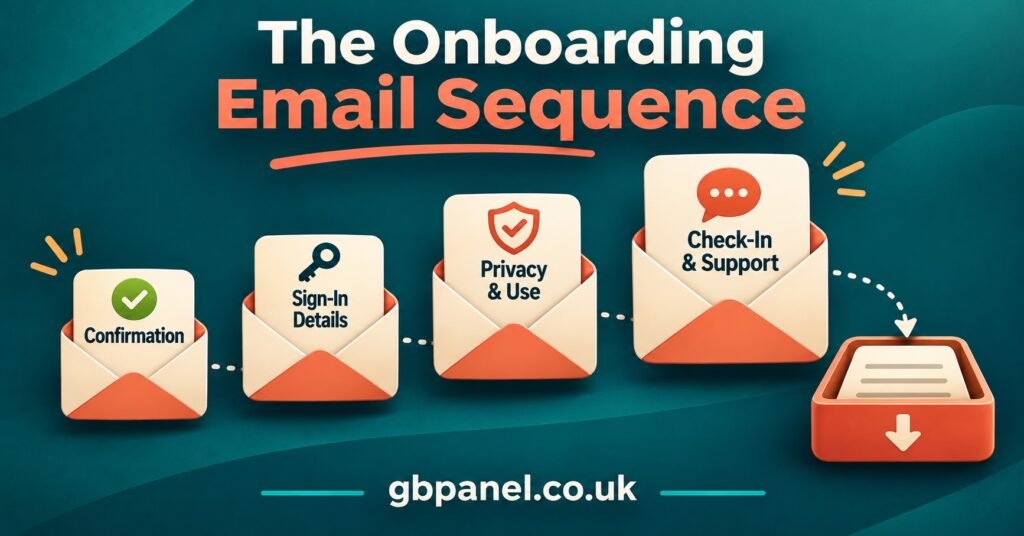
IPTV Reseller Customer Onboarding Email Templates You Can Adapt
Each template uses square brackets for details you replace. Keep the tone, trim what does not apply, and send them from an address on your own domain rather than a free webmail account.
Template 1: Order Confirmation and Welcome
Send immediately after payment clears. No login details here.
Subject: Your [Business Name] subscription is confirmed
Hello [Customer Name],
Thank you for your order. Here is a summary for your records.
Plan: [Plan length, e.g. 3 months]
Connections: [Number of devices that can stream at the same time]
Start date: [Date]
Expiry date: [Date]
Order reference: [Reference]
Your sign-in details will arrive in a separate email within [time frame]. Keeping them apart means this confirmation can be forwarded or stored without exposing your login.
If you need help with setup, reply to this email or contact us at [support address] between [support hours]. Please include your order reference and the device you are using, as it lets us answer in one reply rather than several.
You can read how we handle your information in our privacy notice: [link].
[Your name]
[Business Name], [registered address or company details where applicable]
The registered details at the foot are not decoration. Customers trust messages that show who is behind them, and limited companies in the UK are expected to show certain details on business correspondence.
Template 2: Sign-In Details
Send separately, ideally after the customer confirms the email address works.
Subject: Your sign-in details for [Business Name]
Hello [Customer Name],
Here is what you need to sign in. Please keep this email private and do not forward it.
Login type: [Xtream Codes API login / M3U playlist / portal]
Server address: [Address]
Username: [Username]
Password: [Password, or “sent by text message to the number ending [digits]”]
To get started, open a compatible player app on your device, choose the login type above and enter the details exactly as shown. Details are case-sensitive.
If your account allows [number] connections, streaming on more devices than that at the same time will cause interruptions. That is a limit of your plan, not a fault.
Something not working? Reply with your device model and a description of what you see on screen, and we will take it from there.
[Your name]
The connection limit sentence prevents one of the most common early support tickets. Customers who share their login with a household member often assume buffering is a server problem.
Template 3: Privacy Note
This can be sent on its own shortly after sign-up, or included as a short block at the foot of Template 1. Either way, it summarises and links to the full notice rather than replacing it.
Subject: How [Business Name] uses your information
Hello [Customer Name],
A short note on your information, so nothing comes as a surprise.
Who we are: [Business Name], [contact address or email for privacy questions].
What we hold: your name, email address, account username, device type if you tell us, and a record of your payments.
Why: to provide your subscription, deal with support requests and remind you before your plan expires.
Who else sees it: [the service provider that operates the platform, your payment processor, any email service you use].
How long we keep it: [specific period, e.g. 12 months after your subscription ends, or longer where tax records require].
Your rights: you can ask to see, correct or delete your information, and you can complain to the Information Commissioner’s Office if you are unhappy with how we handle it.
Full privacy notice: [link]
[Your name]
Two details here trip up small operators. First, name the categories of recipients honestly, including your upstream provider if account data passes to their panel, and mention it if that provider is based outside the UK. Second, give a real retention period. General statements about keeping data for as long as necessary are unlikely to satisfy the UK GDPR; examples of actual storage periods are expected. The ICO sets out the full list of privacy information you must provide and your full notice should cover all of it.
Template 4: Day-Three Check-In
Send two to four days after activation. This catches customers who gave up quietly.
Subject: Is everything working on your device?
Hello [Customer Name],
Your subscription has been active for a few days, and we wanted to make sure setup went smoothly.
If you have not signed in yet, the details are in the email titled “Your sign-in details for [Business Name]”, sent on [date]. Check your spam or promotions folder if you cannot see it.
If you signed in but something is not right (the app will not load, the guide is empty, or playback stops), reply with your device model and what happens, and we will help.
If everything is fine, there is nothing you need to do.
[Your name]
The last line matters. A check-in that demands a response feels like a sales chase. One that releases the customer reads as service.
Template 5: Marketing Preference
Only send this if you want to market to the customer and have not already collected a clear choice at checkout. It is a request, not a promotion, so it must not contain an offer.
Subject: Would you like updates from [Business Name]?
Hello [Customer Name],
We occasionally send news about plan changes, renewal options and new features. We will only send these if you want them.
[Yes, send me updates] [No thanks]
Whatever you choose, you will still receive service emails about your account, such as renewal reminders and important changes.
[Your name]
Note the wording on renewal reminders. A factual reminder that a plan expires on a given date is generally treated as a service message; a reminder that pushes a discounted longer term starts to look like marketing. Keep the factual version in your service flow and save upgrade offers for customers who said yes.
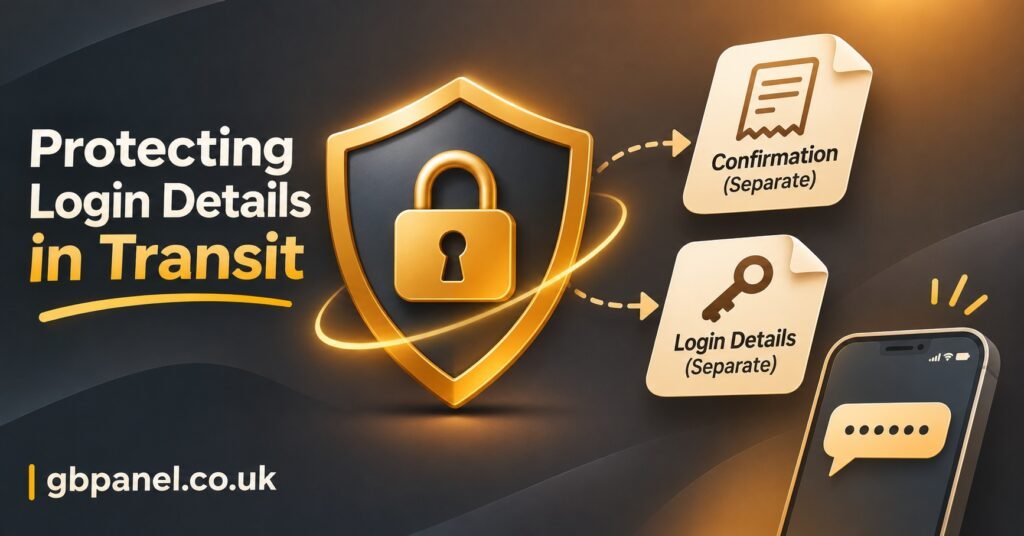
Handling Login Details Without Creating a Risk
Credentials are the part of onboarding most likely to cause harm if handled carelessly. A forwarded welcome email containing a server address, username and password is effectively a working account for whoever receives it, and shared logins lead straight to connection-limit complaints and disputed renewals.
A few practical habits reduce that risk considerably. Keep login details out of email subject lines, since subjects appear in notification previews and lock screens. Where your panel allows it, split the password onto a second channel, such as a text message, so a single compromised inbox does not expose the whole account. Avoid sending full M3U playlist URLs where the username and password are embedded in the link itself, because those links are easily copied into forums or other apps without the customer realising what they have shared.
Never ask customers to send their password back to you for troubleshooting. If you need to check an account, look it up in your reseller dashboard by username. Training a customer to reply with their password is training them to do the same thing when a fraudulent email asks for it.
If you run sub-resellers, agree in writing which party sends onboarding emails and which party’s privacy notice applies. Two businesses emailing the same customer with different sign-in instructions is confusing at best and, if neither has explained the data sharing, a transparency problem.
Getting the Emails Into the Inbox
A perfectly written welcome email is useless if it lands in spam. Mailbox providers have tightened authentication requirements in recent years, and a new reseller domain with no reputation is exactly the kind of sender they scrutinise.
Send from your own domain and set up the three standard authentication records with your email provider. Gmail requires all senders to authenticate with SPF or DKIM, and senders of 5,000 or more messages a day must pass SPF, DKIM and DMARC. Microsoft brought Outlook.com into line with Gmail and Yahoo in May 2025 for high-volume senders. Most IPTV panel resellers will sit well below those volumes, but setting up all three records costs nothing and helps every message, including the low-volume ones.
One-click unsubscribe is required only for marketing and promotional messages, with transactional messages excluded, which is another reason to keep onboarding emails purely about service. Mixing an offer into a sign-in email blurs that classification in the eyes of both regulators and spam filters.
Plain wording helps too. Short emails, one clear purpose each, a recognisable sender name and no attachments are far more likely to reach the inbox than a heavily designed message with images and multiple links. If customers regularly report missing emails, ask them to add your address to their contacts during checkout and mention it on your reseller panel homepage or order page.
Questions Resellers Ask About Onboarding Emails
Can I send sign-in details by WhatsApp instead of email?
You can, and many resellers do, but the same principles apply: keep credentials private, do not combine them with promotional messages, and remember that messaging apps are covered by the same electronic marketing rules as email when you use them to promote something. Keep a record of what you sent and when, because chat histories are easily deleted.
Should the welcome email include a list of channels?
No. Listing channels, events or programmes creates a commitment you may not control, and in many cases it raises rights questions you cannot answer. Describe the service by its technical features and point customers to support if they have a specific question.
Do I need a privacy notice if I only have a handful of customers?
Yes. The right to be informed applies whenever you collect personal data, whatever the size of the business. A short, clear notice is fine; a missing one is not. You may also need to pay the ICO data protection fee, depending on your circumstances.
Can I reuse my provider’s onboarding templates?
You can use them as a starting point, but check every line. Provider templates often contain promotional language, channel claims or a privacy link that points to the provider rather than to you. If you collected the customer’s details, your own notice needs to explain how you handle them.
What should happen if a customer never opens the sign-in email?
That is what the day-three check-in is for. If there is still no response, a single follow-up by another channel the customer provided is reasonable. Repeated chasing starts to feel like pressure and rarely solves the underlying problem, which is usually a spam folder or a mistyped address.
Before You Send Your IPTV Reseller Customer Onboarding Email
An effective IPTV Reseller Customer Onboarding Email is less about clever wording and more about separation: the order confirmation in one message, credentials in another, a privacy note that tells customers the truth about where their data goes, and marketing only for those who chose it. The templates above give you that structure, but they are not legal advice, and the rules differ between the UK, the US, Canada and Australia. Read your current welcome email against the table in this article, remove anything that promises content or sells before consent, and send yourself a test from your own domain to see where it lands. If any statement about content rights cannot be backed up by your provider’s documentation, take it out before the next customer signs up.
[…] when you weigh up an IPTV subscription service for continental club football, the useful questions are practical […]