Don't miss our New reseller offer - up to 20% OFF!

IPTV Reseller Panel Renewal: Credits, Dates and Messages 2026

The most dependable way to run IPTV Reseller Panel Renewal is to give it one fixed weekly slot rather than reacting to expiries as they appear. Every Monday, filter your panel for lines expiring in the next 14 days, confirm you hold enough credits to cover them, and schedule four touchpoints for each customer: a notice seven days before expiry, a reminder three days before, a short message on the expiry day itself, and one follow-up three days after a line lapses. That single routine covers almost every renewal you will handle in a normal week.
Pressing the renew button is rarely where things go wrong. On most panels, renewing an existing line is a single extension action that keeps the customer’s username, password and playlist details intact, so nothing needs reconfiguring on their device. The failures happen earlier, in the dates: a reminder sent after the line has already stopped, a credit balance that runs dry on a Friday evening, or a renewal that extends from today instead of from the current expiry date. A calendar fixes the timing problems, and one quick test on your own panel settles the extension question.
How IPTV Reseller Panel Renewal Fits Into a Weekly Rhythm
A weekly cycle works because subscription terms are measured in days but your attention is measured in weeks. If you check expiries daily, the task becomes background noise and gets skipped on busy days. If you check monthly, lines expiring in the first week slip through before you look. A 14-day look-ahead reviewed every Monday means each expiring line appears on your list twice before it lapses, which gives you a built-in second chance to catch anything you missed.
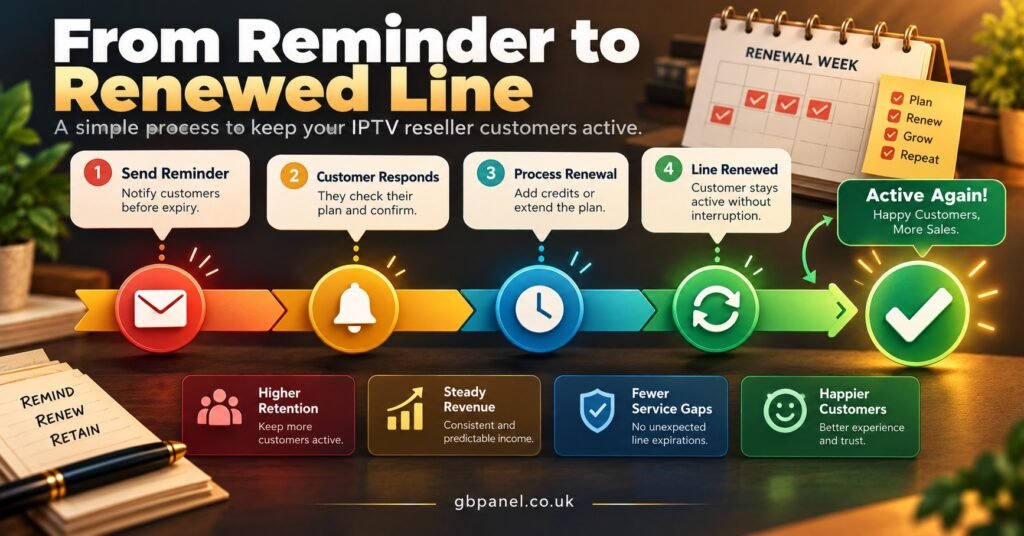
The four customer touchpoints each have a distinct job. The seven-day notice is informational: it tells the customer their term is ending and how to renew, with no pressure. The three-day reminder is the one most people act on. The expiry-day message confirms what happens next, and the post-lapse follow-up gives a customer who simply forgot an easy way back without making them feel chased.
Some IPTV panel resellers add a 14-day notice for annual customers, since a larger payment often needs more planning on the customer’s side. For monthly lines, 14 days is usually too early and tends to be ignored.
A Sample Renewal Week: Monday 2 November to Sunday 8 November 2026
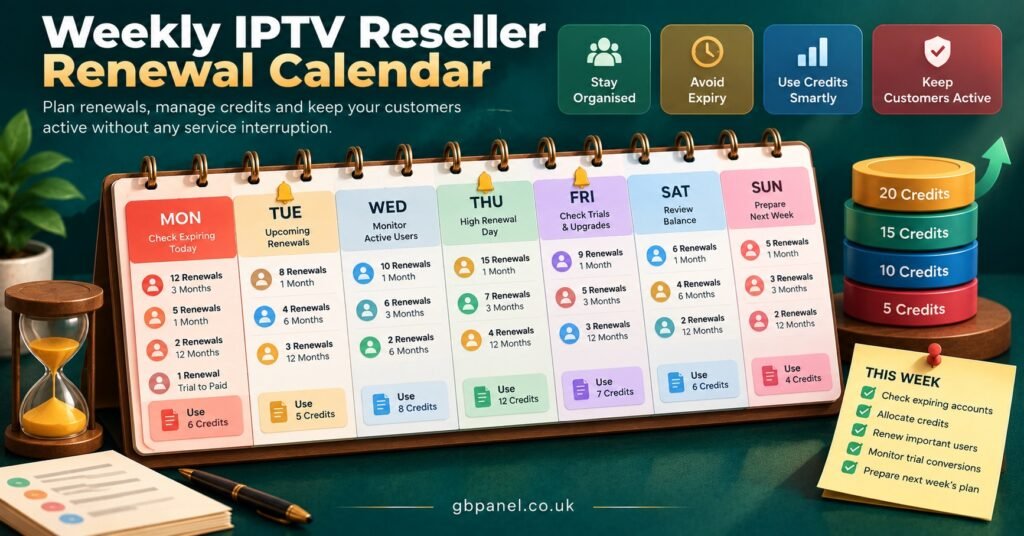
Here is how one week looks when the routine is followed. The tasks are spread so that no single day carries the whole load, and Monday does the planning that makes the rest of the week mechanical.
| Day | Panel task | Customer touchpoint |
|---|---|---|
| Monday 2 Nov | Filter lines expiring 2 to 16 Nov, check credit balance, top up if short | 3-day reminders for lines expiring Thu 5 Nov |
| Tuesday 3 Nov | Apply renewals paid over the weekend | 7-day notices for lines expiring Tue 10 Nov |
| Wednesday 4 Nov | Spot-check that Monday’s renewals show new expiry dates | 3-day reminders for lines expiring Sat 7 Nov |
| Thursday 5 Nov | Apply renewals for lines expiring today | Expiry-day messages; 7-day notices for Thu 12 Nov |
| Friday 6 Nov | Renew anything due over the weekend if already paid | 3-day reminders for Mon 9 Nov; post-lapse follow-ups for Mon 2 Nov |
| Saturday 7 Nov | No panel work unless a paid renewal is waiting | Expiry-day messages only |
| Sunday 8 Nov | Nothing scheduled | Nothing scheduled |
Two features of this layout matter more than the exact days. First, Friday absorbs weekend expiries, because a line that lapses on a Saturday night with nobody available to renew it creates a support message you would rather not receive. Second, the weekend is deliberately quiet. If you or your team do not work weekends, you can move every Saturday and Sunday touchpoint to Friday and lose very little.
Working Out the Dates Without Slipping
Take one customer whose line expires on Thursday 12 November 2026. Counting back, the seven-day notice goes out on Thursday 5 November, the three-day reminder on Monday 9 November, and the expiry-day message on Thursday 12 November. If they still have not renewed, the follow-up lands on Sunday 15 November, or on Monday 16 November if you keep weekends free. Write those four dates against the customer in your notes at the moment the line enters your 14-day window, and you never have to calculate them again.
A few date traps are worth knowing before they catch you.
Month length. A “one month” package may mean 30 days or one calendar month, depending on the panel. A line created on 31 January can therefore expire on 2 March or on 28 February. Check how your panel counts before you tell customers an exact date.
Early renewal. If a customer pays four days early, some panels add the new term to the existing expiry date, while others start counting from the moment you press renew and quietly discard the remaining days. Create a short test line, renew it early, and see which behaviour you get. This single check prevents a surprising number of disputes.
Time zones. UK clocks went back on Sunday 25 October 2026, so British customers are now on GMT until the end of March. If your panel records expiry in server time, a line that “expires on Thursday” may stop at midnight in one zone and early evening in another. Customers in North America or Australia add further offsets. Phrase reminders around the date rather than an exact hour unless you know the panel’s time zone.
Holiday weeks. Christmas Day 2026 falls on a Friday, with Boxing Day on Saturday and New Year’s Day on the following Friday. Lines expiring between 24 December and 3 January should get their reminders brought forward into the week of Monday 14 December, when customers are still paying attention and you are still around to process renewals.
Pro tip: Before the holiday period, offer customers whose lines expire over Christmas the option to renew a week early. If your panel extends from the current expiry date, they lose nothing and you clear the queue before the busiest fortnight of the year.
Reminder Wording You Can Adapt
Short, plain messages perform better than polished ones, and they keep your reminders clearly about the customer’s existing service rather than reading as a sales pitch. Keep the tone the same across all four, change only the facts.
Seven days before: “Hi Sam, a quick note that your subscription ends on Thursday 12 November. To keep everything running without any changes to your setup, you can renew any time before then. Just reply here and I will send the payment details.”
Three days before: “Hi Sam, your subscription ends this Thursday, 12 November. Renewing keeps your current login, so there is nothing to reinstall. Let me know if you would like to continue.”
Expiry day: “Hi Sam, your subscription ends today. If you renew, I will apply it straight away and your existing login will work as before.”
Three days after: “Hi Sam, your line ended on 12 November. If you would like to restart it, reply and I can have it active again quickly with the same details. If you have decided not to continue, no problem at all, and thanks for being a customer.”
That final line matters. Customers who are given a polite exit are more likely to come back later than those who receive repeated chasers, and it closes the loop so you can stop messaging them.
Keeping Credits Ahead of the Renewal Queue
The Monday credit check is what stops a renewal from stalling halfway through a week. Count every line in your 14-day window and convert each one into the credits its renewal will use. On a panel where one credit covers one month, a window containing twelve monthly lines, four three-month lines and two annual lines needs 12 + 12 + 24 = 48 credits. If your balance is 40, top up on Monday, not on the Thursday when a customer is waiting.
Not every customer renews, so this figure is a ceiling rather than a forecast. Over time, your own renewal history shows what proportion typically comes back, and you can keep a smaller buffer once you trust that number. If you are still building that picture, this guide to working out how many credits you actually need walks through the sizing in more detail.
It is also worth checking the terms of your own panel access once a quarter. Some suppliers charge nothing to keep a panel open, while others attach a fee or a minimum spend. Whatever applies to you belongs on the same calendar, because a panel that becomes inaccessible stops every customer renewal at once.
When the Calendar Meets Real Customers
Templates assume tidy behaviour, and customers do not always cooperate. A few situations come up often enough to plan for.
A customer pays two days after their line lapsed. Renew it as normal; on most panels the line reactivates with the same credentials. Note in your records whether the new term started from the payment date or the old expiry, so you can answer questions later.
A customer wants to change their connection count or package at renewal. Treat this as a separate step rather than squeezing it into the reminder flow, since it may cost a different number of credits and should be confirmed in writing before you apply it.
If you run sub-resellers, their customers’ expiries sit in their accounts, not yours, but their credit balance depends on your top-ups. A brief Monday message asking each sub-reseller how many renewals they expect in the next fortnight lets you plan your own credit purchase around theirs.
Finally, keep a light record of who renewed and who did not. Grouping lines by expiry week or term length with account tags in your panel makes the Monday filter faster, and panel reports that surface upcoming expiries can replace much of the manual counting once you trust them.
A Friday Review to Close the Week
Ten minutes at the end of the week stops small errors carrying forward. Before you log off on Friday:
- Confirm every renewal paid this week shows the correct new expiry date in the panel
- Compare the renewals you applied against the activity logs so nothing was applied twice or to the wrong line
- Move any customer who did not respond to the post-lapse follow-up into a “closed” group so they drop off next week’s list
- Note your closing credit balance for Monday’s check
- Flag any customer who asked a question you could not answer, and resolve it before their next reminder is due
Questions Resellers Ask About Renewal Scheduling
Should I renew a line before the customer pays?
Only if you are comfortable carrying that risk. Renewing first and invoicing afterwards keeps the service seamless, but you have spent the credits whether or not payment arrives. Most IPTV panel resellers renew on payment and use the three-day reminder to make sure payment arrives in time.
How early should annual customers hear from me?
Fourteen days works well for annual lines, followed by the standard seven-day and three-day touchpoints. A year-long payment is a bigger decision, and an earlier notice gives the customer time without feeling rushed.
What if a customer replies to a reminder with a technical problem?
Deal with the problem first and hold the renewal conversation until it is resolved. A customer asked to pay while something is not working is unlikely to renew, and a quick fix often turns the reminder into a straightforward renewal.
Can I automate the reminders?
Yes, if your messaging tools allow scheduled sends, but keep a person checking the Monday list. Automation sends reliably on the wrong date as happily as on the right one, so the weekly review remains the safeguard.
Making IPTV Reseller Panel Renewal Routine
IPTV Reseller Panel Renewal stops being a source of last-minute stress once it lives on a calendar: a Monday filter and credit check, four dated touchpoints per customer, a Friday clear-out for weekend expiries and a short review before you finish the week. The template will need adjusting for how your panel counts months, handles early renewals and records time, so run one test line before relying on it. Then start with next Monday’s 14-day list, write the four dates against each customer, and let the week run from there.
[…] useful information in itself. If you have not spent much time in the log before, the guide to what IPTV reseller panel activity logs record and miss explains how to read it without over-trusting […]