Don't miss our New reseller offer - up to 20% OFF!

IPTV Reseller Failed Renewal Troubleshooting Guide 2026

IPTV Reseller Failed Renewal Troubleshooting starts with one question: did the renewal fail inside your panel, or did it go through while the customer’s device has not caught up? Open the line in your reseller dashboard and look at three things before touching anything else: your credit balance, the line’s expiry date and the most recent entry in the activity log. If the date has moved forward and credits have left your balance, the renewal worked and the fault sits on the customer’s side. If neither has changed, the panel refused the request, and the reason is nearly always credits, permissions, the package you picked or the status of the line itself.
Resist the urge to press renew a second time while you are unsure. On many panels another attempt simply stacks a further period onto the line and takes another set of credits, and undoing that usually means a request to your provider rather than a button you can click. A minute spent reading the log is far cheaper than an awkward correction later, both with your supplier and with a customer who now has an expiry date nobody can explain.
Read the Line Before You Retry
Every renewal problem leaves traces on the line record, and most of the diagnosis happens there. The fields worth reading, in roughly this order, are the expiry date, the status, the package, the connection limit and the owner.
The expiry date is the obvious one, but check how your panel displays it. Some dashboards show dates in the server’s timezone rather than yours, so a line renewed late in the evening can appear to expire a day earlier or later than you expect. If a customer abroad says their account ran out “a day early”, the display timezone is often the explanation rather than a faulty renewal.
Status tells you whether the line is active, expired or disabled. Those are different states. An expired line can normally be renewed. A disabled or banned line has been switched off deliberately, usually by the provider, and adding time to it will not bring it back.
The package and connection limit matter because a renewal is not always a like-for-like extension. If you renewed onto a different package, the customer may now have fewer allowed connections than before, and a household that was watching on two devices suddenly finds one of them refused.
Finally, the owner field shows which account created the line. If it belongs to one of your sub-resellers, your own renew option may behave differently, or may not appear at all.
Once you have read these, open the activity log for the same line. A successful renewal normally appears as a dated entry with the credits spent. A refused attempt may leave nothing behind, which is useful information in itself. If you have not spent much time in the log before, the guide to what IPTV reseller panel activity logs record and miss explains how to read it without over-trusting it.
Three Outcomes, Three Different Problems
Once you have compared the balance, the expiry date and the log, the failure usually falls into one of a few patterns. Each points somewhere different, which is why guessing wastes time.
| What the panel shows | What it usually means | Where to look next |
|---|---|---|
| Expiry unchanged, credits unchanged | The panel rejected the renewal | Credits, package access, line status, ownership |
| Expiry unchanged, credits deducted | The request was partly processed or the display is lagging | Refresh, check the log, then contact the provider with the time |
| Expiry moved, credits deducted, customer still blocked | The renewal worked | The customer’s app, credentials and connection limit |
| Expiry moved further than expected | The renewal was applied more than once | Log entries and timestamps, then the provider |
The second row is the one that worries resellers most, and with reason. Credits leaving your balance without a new date on the line is not something you can fix from your side. Note the exact time, take a screenshot of the balance and the line, and do not attempt the renewal again until the provider has looked. A retry at this point can turn one problem into two.
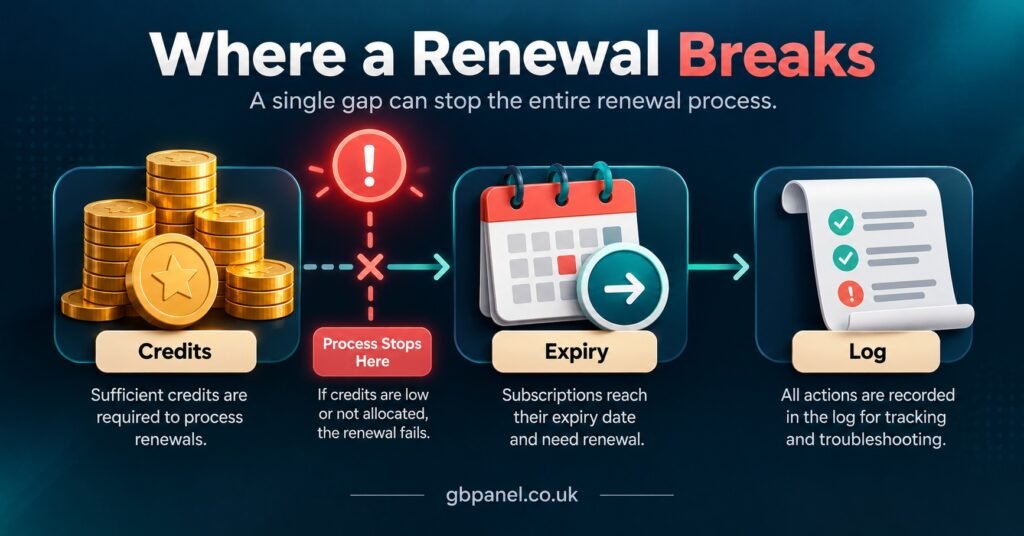
When the Panel Refuses the Renewal
If nothing moved, the panel said no. The error message, where one appears, is often vague, so it helps to work through the usual causes in turn.
Not enough credits for that package
Longer packages normally cost more credits than shorter ones, so a balance that comfortably covers a one-month extension may fall short of a twelve-month one. Check the credit cost of the specific package you selected, not your general sense of what you have left. If you recently topped up, confirm the purchase has actually landed on your balance rather than sitting as a pending payment. How credit pricing scales across bundle sizes is covered in cost per credit for IPTV panel resellers, which helps when you are deciding how much buffer to keep.
The package is not available to your account
Panels let the account above you decide which packages and durations you can sell. If you are a sub-reseller, your parent reseller may have limited you to certain packages, and the renewal option for anything else can be missing or greyed out. The same applies in reverse: if your own sub-reseller reports failed renewals that work fine for you, their permission group is the first place to check. The breakdown of sub-reseller roles and what each can be allowed to do is a useful reference here.
The line is disabled rather than expired
A disabled line will not respond to a renewal in the way an expired one does. Providers can disable lines for reasons such as suspected credential sharing or breaches of their terms, and on some panels the reseller cannot see the reason. If the status reads disabled or banned, stop and ask your provider before spending anything. Adding time to a line that stays switched off only wastes credits.
Trial lines and lines you did not create
Some panels treat trial lines differently and will not extend them directly, expecting you to convert the trial or issue a fresh paid line instead. Lines created under a sub-reseller can also sit outside your normal renew flow. Check the line’s type and owner before assuming the panel is broken.
A credit purchase that never arrived
Sometimes the renewal fails because the credits it relies on are not there yet. A payment can be authorised by your bank and still not be confirmed by the provider. Keep the payment reference and the time, and raise the missing credits as their own issue rather than mixing it into a renewal complaint.
IPTV Reseller Failed Renewal Troubleshooting on the Customer’s Device
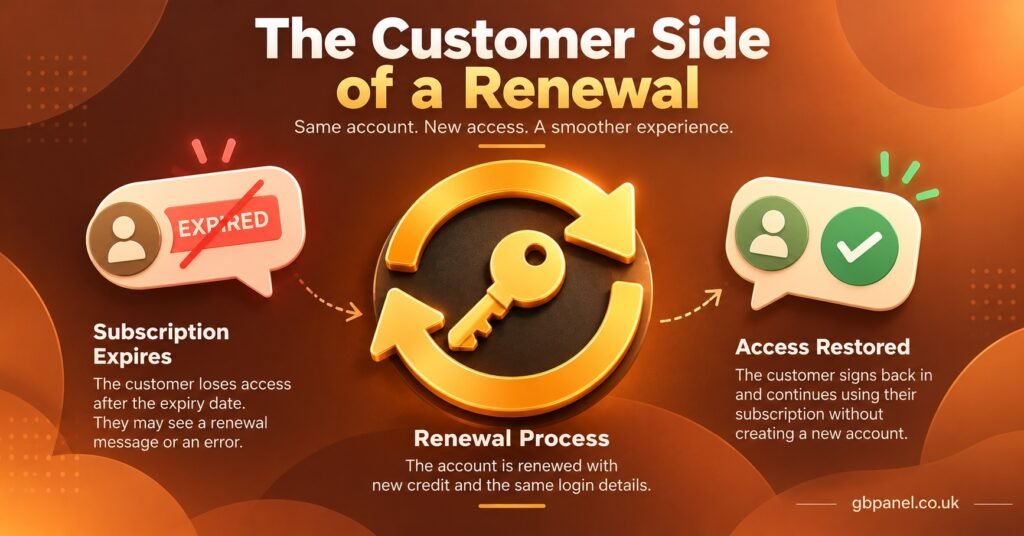
This is the most common situation of all: the panel shows a new expiry date, the credits have gone, and the customer still sees an error. In that case the renewal did its job, and the remaining work is about what the customer’s app believes.
Start by asking the customer for the exact wording on screen, or a photo of it. “Expired”, “authentication failed” and “maximum connections reached” sound similar to a frustrated subscriber, but they point to different causes. An expired message after a confirmed renewal usually means the app is holding old account details. An authentication failure suggests the username or password in the app does not match the line. A connection message means the renewal worked and too many devices are trying to use the account at once.
Many player apps store account information at the moment of login, including the expiry date. Asking the customer to sign out of the app and back in, or to reload the playlist from the app’s settings, refreshes that information. A full restart of the device helps where the app keeps details in memory. If the customer uses an M3U link rather than an Xtream Codes style login, reloading that link in the app does the same job.
Check the connection limit again if the renewal switched packages. A customer who was on a two-connection package and was renewed onto a single-connection one will find the second television refused, and from their point of view it looks exactly like a failed renewal.
It is also worth confirming that the device’s own date and time are correct. A device with a wildly wrong clock can cause sign-in problems with some apps, and it takes seconds to check.
Pro tip: Keep a short, plain-language message ready for customers that asks them to sign out, sign back in and reload their playlist after any renewal. Sending it at the same moment you renew prevents a large share of “it still says expired” messages from arriving at all.
Taking It to Your Provider With the Right Evidence
Some failures cannot be solved from a reseller dashboard: credits deducted without a new date, a renewal applied twice, a line disabled without explanation, or a purchase that never appeared. Your IPTV provider can usually look at the server-side record, but how quickly they can help depends heavily on what you send them.
A useful support message includes:
- The line username, not the customer’s personal details
- The date and time of each renewal attempt, with your timezone stated
- The package and duration you selected
- Your credit balance before and after, with screenshots if possible
- A screenshot of the line record and the relevant activity log entries
- The exact text of any error the panel displayed
Send it as one message rather than a series of fragments. Support teams working through a queue can act on a complete picture far faster than on a conversation that builds up over hours.
Be clear about what you are asking for, too. “Please check why line X did not renew at 21:40 and confirm whether two credits were taken” gets a more useful reply than “renewals are not working”.
Stopping the Same Failure Next Month
Most failed renewals cluster around the expiry day itself, because that is when IPTV panel resellers are rushing and customers are already locked out. Renewing a few days early removes the pressure and gives you time to deal with a refusal before anyone notices. The approach described in running renewals in a fixed weekly slot works well for exactly this reason.
Keeping a small credit buffer above your expected renewals for the week prevents the most avoidable refusal of all. Recording each customer’s package and connection count somewhere outside the panel, even in a simple spreadsheet, makes it obvious when a renewal would change what the customer has.
It also helps to agree with any sub-resellers what happens when their renewals fail, who contacts the customer, and who contacts the provider. Unclear responsibility is how a ten-minute fix becomes a lost customer.
Renewals are only as sound as the service behind them. IPTV is a delivery technology, and whether a subscription is lawful depends on the distribution rights held by whoever supplies the content, so it is worth being confident about your provider’s position before you build recurring income on it.
Questions Resellers Ask After a Renewal Goes Wrong
Can a renewal that was applied twice be reversed?
Usually only by the provider, and not every provider will reverse it. Send the line username, both timestamps and your balance screenshots straight away. The longer the extra period has been running, the harder the conversation tends to be.
Why do my renewals work while my sub-reseller’s fail?
Most often the sub-reseller lacks access to the package they are choosing, has run out of credits, or is trying to renew a line they do not own. Compare their permission group and balance with the package in question.
The customer is renewed but some content will not play. Is that a renewal fault?
Probably not. If the customer can sign in and the account shows the new expiry date, missing or failing streams are a service or server matter. Report it to your provider as a playback issue rather than a renewal one.
Should I create a new line instead of fighting with a renewal?
Only as a last resort. A new line means new credentials for the customer, fresh setup on their devices, and possibly the old line still running alongside it. Fix the renewal where you can, and ask your provider before abandoning a line that may already have credits applied.
Getting Renewals Back on Track
IPTV Reseller Failed Renewal Troubleshooting becomes much simpler once you stop treating every failure as the same problem. Compare the balance, the expiry date and the log first, and you will know within a minute whether the panel refused the request, partly processed it or completed it while the customer’s app lagged behind. Fix panel refusals at the source, send customers a sign-out and reload message for device-side issues, and hand anything involving lost or doubled credits to your provider with full evidence. Panels differ in how they handle trials, ownership and package changes, so check your own provider’s rules on those points before the next busy renewal week.
[…] brought Outlook.com into line with Gmail and Yahoo in May 2025 for high-volume senders. Most IPTV panel resellers will sit well below those volumes, but setting up all three records costs nothing and helps every […]