
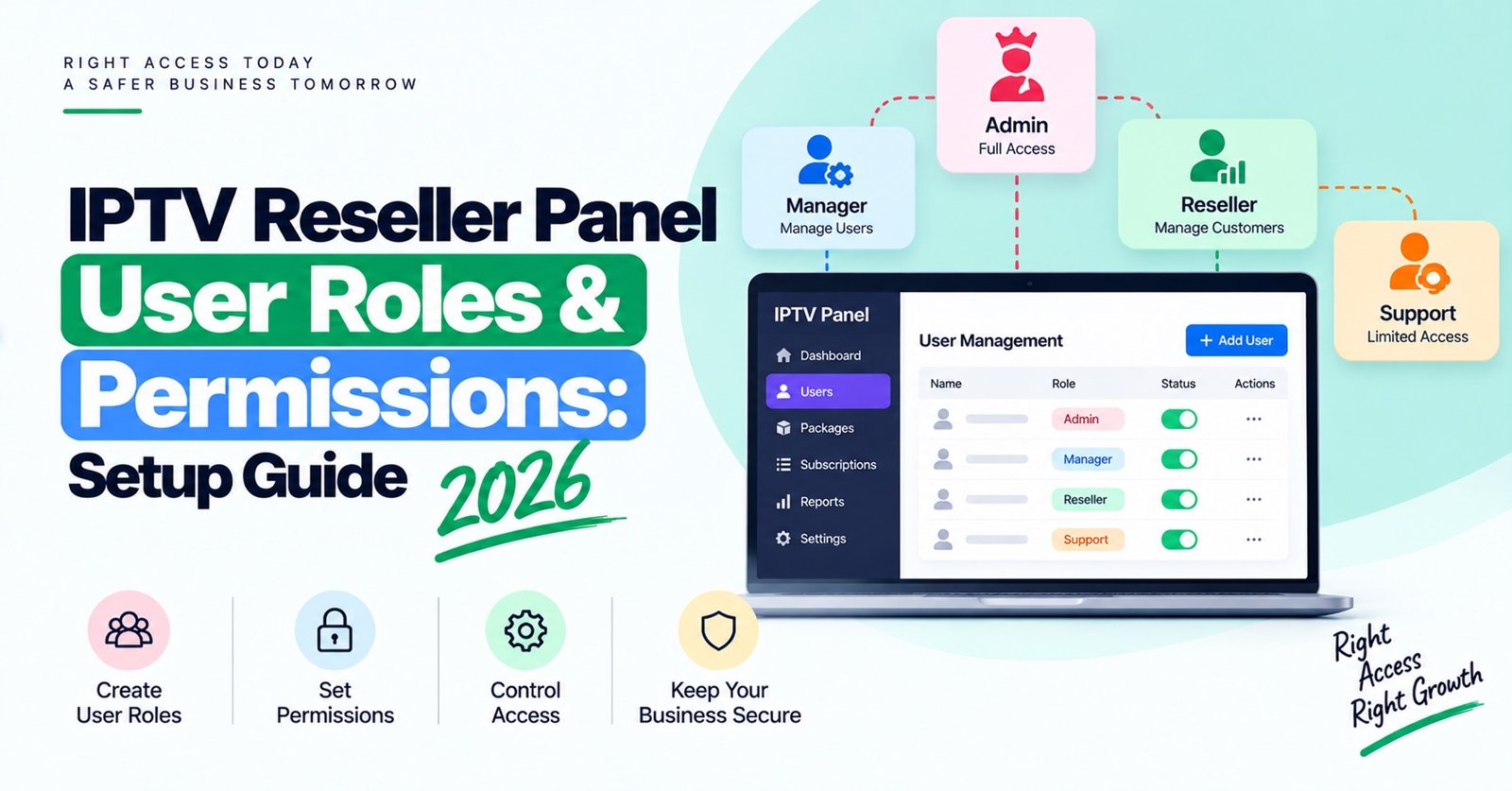
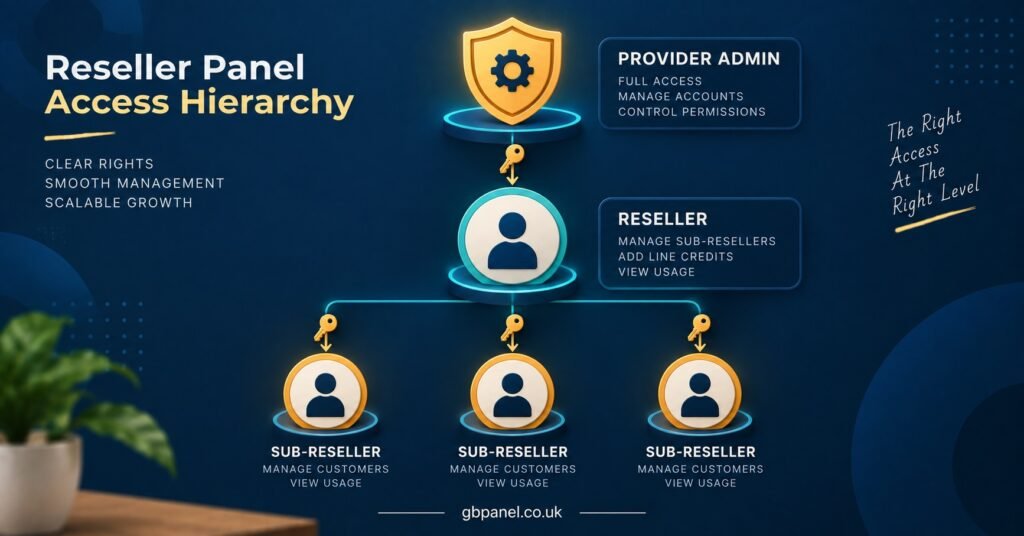
IPTV Reseller Panel User Roles & Permissions decide who inside your dashboard can create subscriber lines, spend credits, issue trials, delete accounts or open new sub-reseller accounts. In most panels the chain runs from the provider’s admin at the top, to you as the reseller, to any sub-resellers you create beneath you, and each level can only pass down rights it already holds. Subscriber lines sit at the bottom, but they are not panel users at all. They are simply the accounts your customers use on their devices.
Before you create a single sub-reseller, look at two settings first: whether they can delete lines and whether they can move credits. Those two permissions cause more lost money and more awkward customer conversations than anything else in the dashboard, because a deleted line or a transferred balance is often difficult to reverse without your provider stepping in. Line creation itself is rarely where things go wrong.
Permissions Flow Downwards, Never Upwards
The single most useful thing to understand about a IPTV reseller panel is that it is a hierarchy with a ceiling at every level. Your provider’s admin account decides what your reseller account is allowed to do. You then decide what your sub-resellers are allowed to do, but you cannot give them anything you do not have yourself.
That sounds obvious, yet it explains a lot of support tickets. A reseller promises a new sub-reseller the ability to create their own sub-accounts, then discovers the option is greyed out on their own dashboard. The fix is not in your settings. It is a conversation with your provider about what your account group has been granted.
Credits follow the same downward path. When you create a line, credits leave your balance. When you give credits to a sub-reseller, they leave your balance and land in theirs, and from that point the sub-reseller spends them as they choose within whatever limits you set. Many panels log each of these movements, which becomes important later when you need to check who did what.
The practical takeaway is to ask your provider, in writing, what your account can and cannot do before you design your own sub-reseller structure. Build your plans around what is actually enabled, not around what the panel software is theoretically capable of.
The Roles You Will Actually Meet
Panel software varies, and providers often rename roles or combine them. The labels below are the common ones, but the permissions behind the label matter more than the name.
Provider Admin
This is the account that controls the server side: packages, bouquets, credit pricing per package, and which reseller groups can see which options. As a reseller you will not normally have this access, and you should be wary of anyone offering it casually. Admin access is infrastructure control, not a sales tool.
Reseller
Your account. Typically you can create and extend lines, issue trials within an allowance, view your own customers and their connection status, and create sub-resellers if your provider has enabled it. Some reseller accounts can also edit line usernames and passwords, reset device locks for set-top boxes, and set notes against customer accounts.
Sub-Reseller
A reseller beneath you, spending credits you have handed over. Their dashboard usually looks similar to yours but with fewer rights. Whether they can delete lines, create further sub-resellers, issue trials or access every package depends on what you switch on.
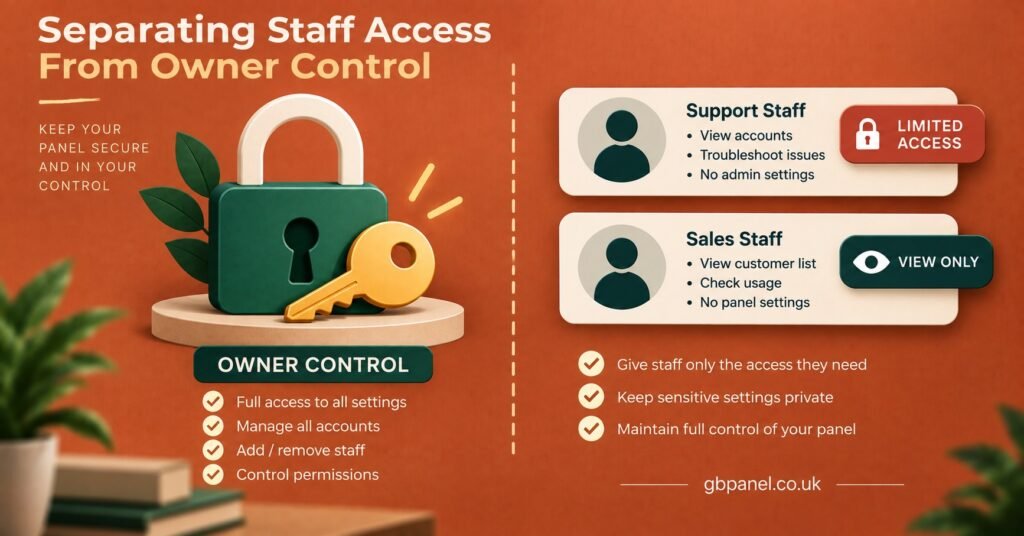
Staff or Support Logins
This is the gap in many panels. Plenty of reseller dashboards have no dedicated “support only” role, which tempts owners to share their main login with a team member. That is the habit worth breaking first, and it gets its own section further down.
Pro tip: Keep a short written note of what each role on your panel can do, in your own words. When a provider updates the panel software, compare the new options against your note so nothing gets quietly enabled.
Which Permissions Carry Real Risk
Not every setting deserves the same attention. Some permissions are routine and harmless. Others can cost you credits or customers in a single careless click. This is how the main ones compare in day-to-day operation.
| Permission | What goes wrong when it is too loose |
|---|---|
| Delete lines | Active paying customers disappear, and credits spent on those lines are usually not refunded |
| Transfer or add credits | A sub-reseller’s balance can be drained or moved on before you notice |
| Create sub-resellers | Your structure grows beyond your visibility, with accounts you did not approve |
| Issue trials | Trial allowances get used as free service for friends rather than genuine sales leads |
| Edit line credentials | Customers get locked out, or lines are quietly handed to someone else |
| Access all packages | Sub-resellers sell packages at prices or durations you never agreed |
Two permissions sit lower on the risk scale. Extending existing lines is generally safe, because it spends credits on customers who already exist. Viewing connection status is also low risk and genuinely helpful for support, since it lets someone confirm whether a customer is online without being able to change anything.
Setting IPTV Reseller Panel User Roles & Permissions for a Sub-Reseller
The safest approach is to start a new sub-reseller with almost nothing switched on and open up rights as they prove themselves. It is far easier to grant a permission later than to repair the damage from one granted too early.
Work through the settings in this order when you create the account.
Allowed packages. Limit the sub-reseller to the packages and durations you actually want them selling. If your panel lets you restrict packages by group, create a group for new sub-resellers rather than adjusting each account by hand.
Starting credits. Give a modest opening balance. There is no correct number, as it depends on your pricing and how well you know the person, but the aim is that a mistake or a disappearance costs you a manageable amount.
Trial allowance. Set it low or off at the start. Trials are useful for genuine sales, but they are also the easiest permission to misuse quietly.
Delete rights. Leave this off for new sub-resellers. If a customer needs removing, the sub-reseller can ask you, or the line can simply be left to expire. Disabling is often a safer alternative to deleting where the panel offers both.
Sub-reseller creation. Off, unless you have a clear business reason and a written agreement about who is responsible for accounts further down the chain.
Credential editing. Allow it only if the sub-reseller handles their own customer support. Otherwise it adds risk without adding much value.
After a period of clean activity, review the logs and decide whether to loosen anything. Tie each extra permission to a reason rather than a request.
Pro tip: Name sub-reseller accounts in a consistent pattern that tells you who they are and when they joined. When you are scanning logs months later, an account called “sub_west_0326” is far easier to trace than a nickname.
Staff Logins Are Where Most Panels Fall Short
If your panel does not offer a support-only role, the temptation is to hand your own reseller login to whoever answers customer messages. That gives a support agent every permission you hold, including credit transfers and account creation, and it means your logs can no longer tell you which person made a change.
A better workaround, where your panel allows it, is to create a separate sub-reseller account for each staff member with zero credits and only view or extend rights switched on. They can see customers and confirm connection status, but they cannot spend money or remove anything. Test this carefully before relying on it, because panels differ in what a zero-credit sub-reseller can actually see.
Beyond roles, basic account hygiene matters. Use a unique, long password for your reseller login and do not reuse it on your website or email. If your provider offers two-factor authentication or login restrictions by IP address, turn them on. If they do not, it is a fair question to raise with them, because your reseller dashboard effectively holds both your stock and your customer list.
When someone leaves your team, change passwords the same day. Shared credentials have a habit of outliving the working relationship.
A Quarterly Permission Audit You Can Run in an Afternoon
Permissions drift. Accounts are created in a hurry, rights are loosened to solve a one-off problem, and nobody switches them back. A short, repeatable audit every few months catches most of this before it becomes costly.
Start by listing every sub-reseller and staff account on your panel alongside their last login date, if your dashboard shows it. Any account that has not logged in for a long period is a candidate for disabling, because dormant accounts with credits or rights attached are exactly the ones nobody watches.
Next, open the credit and activity logs for the period since your last audit. You are looking for patterns rather than individual entries: a sub-reseller whose deletions suddenly rise, credits moving between accounts you did not expect, or trial usage that does not match their sales.
Then do the part most IPTV panel resellers skip, which is testing the restrictions rather than trusting them. Log in as a test sub-reseller account set up with your standard new-account permissions, and deliberately try the actions that should be blocked: deleting a line, creating a sub-reseller, choosing a package outside the allowed list, editing a customer’s password. Record what happens for each attempt. Take screenshots of the permission screen and the results, and keep them with the date, so you have a record of how the panel behaved and can spot changes after a software update.
Finally, write down what you changed and why. An audit that leaves no record is hard to learn from the next time.
Pro tip: Schedule the audit for the week after your provider announces any panel update. New versions sometimes add options with default settings you did not choose.
When a Sub-Reseller Leaves or Goes Quiet
Offboarding is where roles and customer ownership collide. The instinct is to delete the account, but deleting a sub-reseller can affect the lines they created, depending on how your panel handles it. Disabling the account first is usually the safer step, because it stops new activity while leaving customer lines in place.
Then decide who looks after those customers. Some panels let you move lines from one sub-reseller to another or back to your own account; others do not. Check with your provider before you promise anything, and agree in advance with each sub-reseller what happens to their customers if the arrangement ends. Unused credits are another point worth settling in writing at the start rather than at the end.
If a sub-reseller simply stops responding, treat it the same way. Disable, review their logs, and contact their active customers only in line with whatever agreement you had in place.
It is also worth being clear with sub-resellers that the panel is a delivery and account management tool. IPTV is a technology, and whether the content on any service is lawful depends on rights and local requirements, so responsibility sits with whoever runs and sells the service, at every level of the chain.
Questions Resellers Ask About Panel Access
Can I give a sub-reseller more permissions than my own account has?
No. Permissions pass down the hierarchy, so a sub-reseller can only receive rights your own reseller account already holds. If you need something your account lacks, ask your provider to review your account group.
Is disabling a line the same as deleting it?
Not usually. Disabling normally pauses access while keeping the line and its remaining time, whereas deleting removes it. Check how your specific panel treats credits in each case before relying on either.
Should support staff share my reseller login?
It is better not to. A shared login gives full rights to everyone who has it and makes your activity logs meaningless. Separate limited accounts, where your panel supports them, keep control and accountability intact.
What should I do if I spot credits moving unexpectedly?
Change your password, disable the account involved, and contact your provider with the relevant log entries and times. The sooner the provider sees the details, the more options they are likely to have.
Do permission settings survive a panel software update?
They often do, but not always, and new features can arrive with their own defaults. Re-test key restrictions after any update rather than assuming nothing changed.
Getting Your Access Structure Right
IPTV Reseller Panel User Roles & Permissions are less about the software and more about control: who can spend your credits, who can touch your customers, and who can grow your structure without asking. Start sub-resellers with minimal rights, keep delete and credit transfer switched off until there is a good reason, give staff their own limited access instead of your login, and test your restrictions regularly rather than trusting the settings screen. Bear in mind that every option depends on what your provider has enabled and on the panel software in use, so confirm the details with them before building your structure. If you are reviewing panel options for your own reseller business, the IPTV reseller panel options from GB Panel are a sensible place to compare what each account level includes.
Sub-Reseller Access Setup Checklist
- Confirm in writing which rights your own reseller account holds before promising anything downstream
- Create a standard permission group for new sub-resellers instead of configuring accounts one by one
- Leave delete rights, credit transfers and sub-reseller creation switched off at the start
- Restrict each sub-reseller to the packages and durations you have agreed on
- Give every staff member a separate, limited account rather than your own login
- Agree in writing what happens to customers and unused credits if a sub-reseller leaves
- Test blocked actions with a dummy account and keep dated screenshots after every panel update
- Disable dormant accounts during each quarterly review
[…] IPTV panel resellers tend to open logs only when something has already gone wrong. A brief weekly pass catches most […]